Posts

Prettify Login page with SLDS

Image
Login form is constructed with plain html at this moment. I'm going to update it with SLDS styles. For our purposes we need styles for Form Elements (like input and checkbox), Box , Button, Alert and Grid to align form properly. All these elements can be found here https://www.lightningdesignsystem.com/ ./backend/templates/auth/login.html {% extends "_base.html" %} {% block content %} <div> <div class="slds-box slds-size_2-of-3 slds-medium-size_1-of-2 slds-large-size_1-of-3 c-login-box"> <h2>Login</h2> <div> {% with messages = get_flashed_messages() %} {% if messages %} <div class="slds-notify slds-notify_alert slds-theme_alert-texture slds-theme_warning" role="alert"> <span class="slds-assistive-text">warning</span> <span class="slds-icon_contai...
Move footer to the bottom of the page

Image
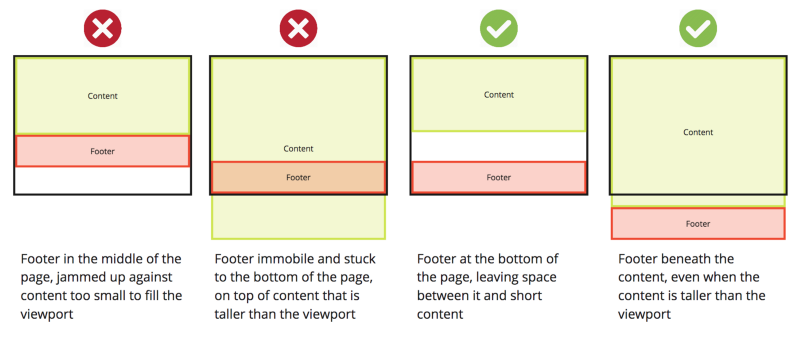
At this moment our footer is right after main content. For short pages it looks ugly. Let's fix it. As footer is inside base template we need to add css styles to the global.css file in ./backend/static html, body { background-color: #F3F3F4; height: 100%; } .main-wrapper { min-height: 100%; height: auto !important; margin: 0 auto -35px; } footer { clear: both; height: 35px; background-color: #fff; } .c-footer-content { padding-top: 5px; } and base template itself should have this structure <body> <div class="main-wrapper"> <div class="c-header"> ... </div> <div class="c-body"> {% block content %}{% endblock %} </div> </div> <footer style="text-align: center;"> <div class="c-footer-content"> <p>&copy; 2020 - Salesforce Backup ...

Communication between Backend and Frontend

Image
The main gateway between our Frontend (Angular) app and Backend (Flask) will controllers that should accept GET and POST with JSON payload HTTP request and return response in JSON format. In common we need to implement REST API for our Frontend. In other case in Frontend we should create special service to manage all requests to this API. Let's create dummy endpoint to get test list of fake data from Backend. Create new blueprint controller for our test purposes ./backend/controllers/test.py and add simple method to handle GET request from Angular from datetime import datetime from datetime import date from flask import Blueprint, jsonify, request from flask_login import login_required from flask_login import current_user from models import User from sqlalchemy.orm import defer # load_only test_bp = Blueprint('test', __name__, url_prefix='/test') @test_bp.route('/', methods=['GET']) @login_required def get_test_data(): arg0 = reque...

Auth menu in Base template

Image
Some things we need to see in all pages are global navigation and information and links from authentication system. Let's create second one. With Flask-Login it is pretty simple. It offers us  current_user   variable accessible in all templates. To show current user information in all pages we need to modify our base template. Here is a part of code I've added to header and with some style improvements. ... <div class="c-header"> <div class="slds-grid"> <div class="slds-col"> <span class="slds-icon_container slds-icon-custom-custom5" title="Description of icon when needed"> <svg style="width: 50px; height:50px;" class="slds-icon" aria-hidden="true"> <use xlink:href="/static/slds/icons/custom-sprite/svg/symbols.svg#custom5"></use...

Salesforce Lightning Design System (SLDS)

Image
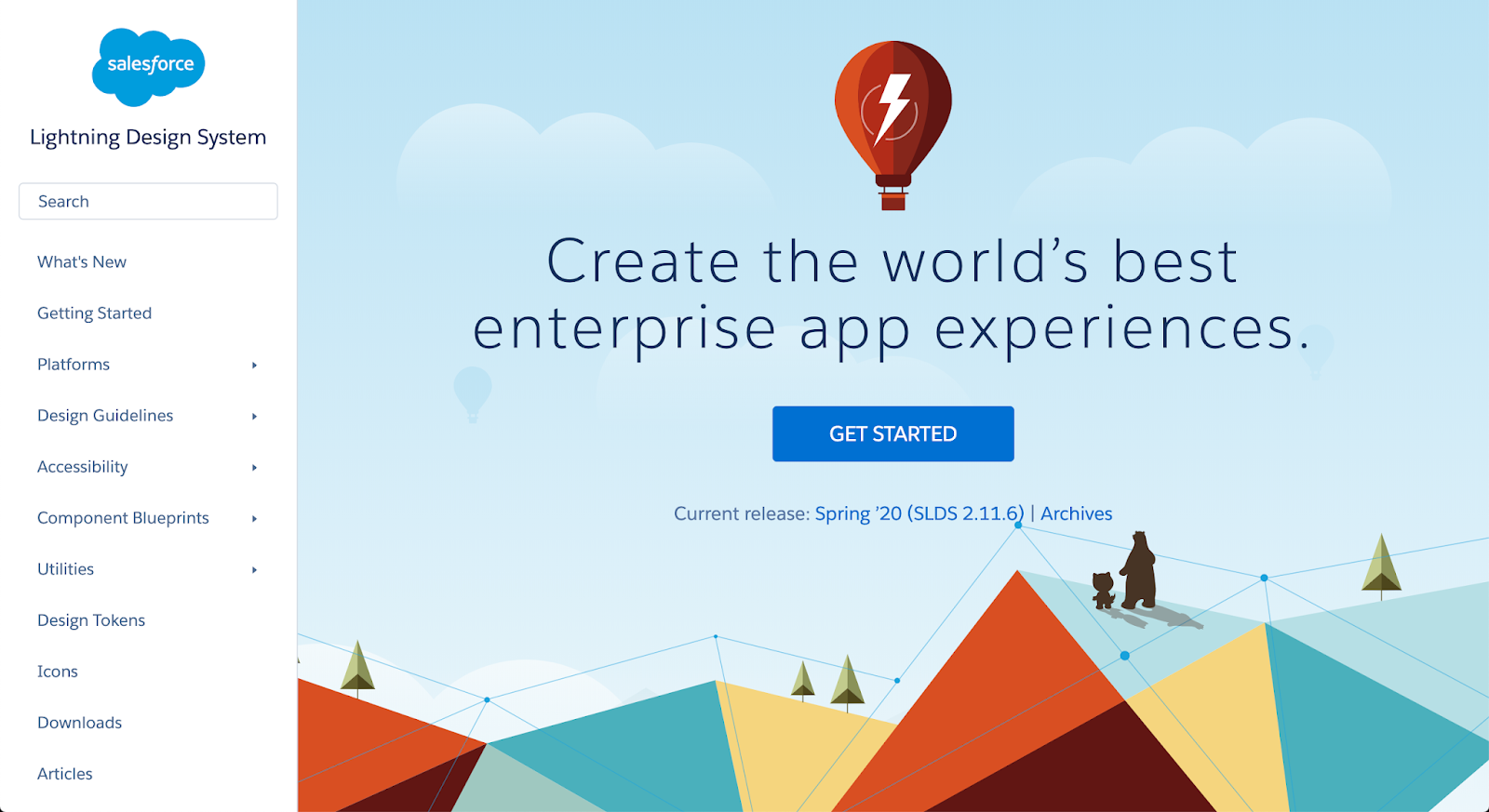
At this moment our UI looks ugly without any styles. To make it looks better we can to use any of existing CSS frameworks. I tried Bootstrap ( https://getbootstrap.com/ ), Foundation ( https://get.foundation/ ), UIkit ( https://getuikit.com/ ). But as a Salesforce developer I found SLDS ( https://www.lightningdesignsystem.com/ ) is closer to my heart. Let's add it to our project. Download last SLDS (current version is 2.11.6) from https://www.lightningdesignsystem.com/downloads/ Extract it to the ./backend/static/slds folder. There are few other ways to add SLDS to the project: - from NPM in the Angular subproject. But in this case it can be accessible by Angular only and is compiled as part of the result bundle. But we have Flask project as global playground and few pages (like /auth/login) should work out of the angular context but have the same look. - external CDN (like  https://cdnjs.com/ ). I like this approach and use it often during development time, but ...

Base template

Image
Usually regular sites have parts of the page shared between all pages. It can be header, footer, head block with required page setup information, main menu and auth section. Jinja templating system should help us to implement it. First of all let's remove standard Angular Page generated for new project. We don't need this nice page anymore. Let's replace it with simple placeholder. ./frontend/src/app/app.component.html <div> <h1>Angular APP</h1> </div> In ./templates folder we need to create new file with base template ./backend/templates/_base.html <!DOCTYPE html> <html> <head> <meta charset="utf-8" /> <meta name="viewport" content="width=device-width, initial-scale=1.0" /> <title>Salesforce Backup Service</title> {% block header %}{% endblock %} </head> <body> <div class="main-wrapper"> <div cl...

User authentification with Flask-Login

Image
One important step of project preparation is Security. We plan to publish our app to Heroku where it will be accessible by anyone in the world. Let's make it more secure with Flask-Login ( https://flask-login.readthedocs.io/en/latest/ ). There is one post I will follow. https://www.digitalocean.com/community/tutorials/how-to-add-authentication-to-your-app-with-flask-login But I will simplify it and will use login flow only at this moment as we don't need registration. But for new user creation I will add cli script. To add auth flow to our app we need to create Login View with Controller and some additional service methods for Flask-Login. Also we have to update User model a little bit. backend/models/user.py from models import db from flask_login import UserMixin class User(UserMixin, db.Model): __tablename__ = 'users' id = db.Column(db.Integer, primary_key=True) username = db.Column(db.String(255), unique=True, nullable=False) email ...